How to Learn Japanese with AI — A Hands-On Walkthrough of MANA Learn
Learning Japanese as an English speaker is famously rough. Three writing systems, particles that don't map to anything in English, pitch accent the textbooks barely mention. Most apps either drown you in flashcards or hand you grammar PDFs and call it a day. This is a screen-by-screen walkthrough of MANA Learn — what the actual lessons look like, where the AI helps, and where it gets out of your way.
Step 1: Pick where you start and where you're going
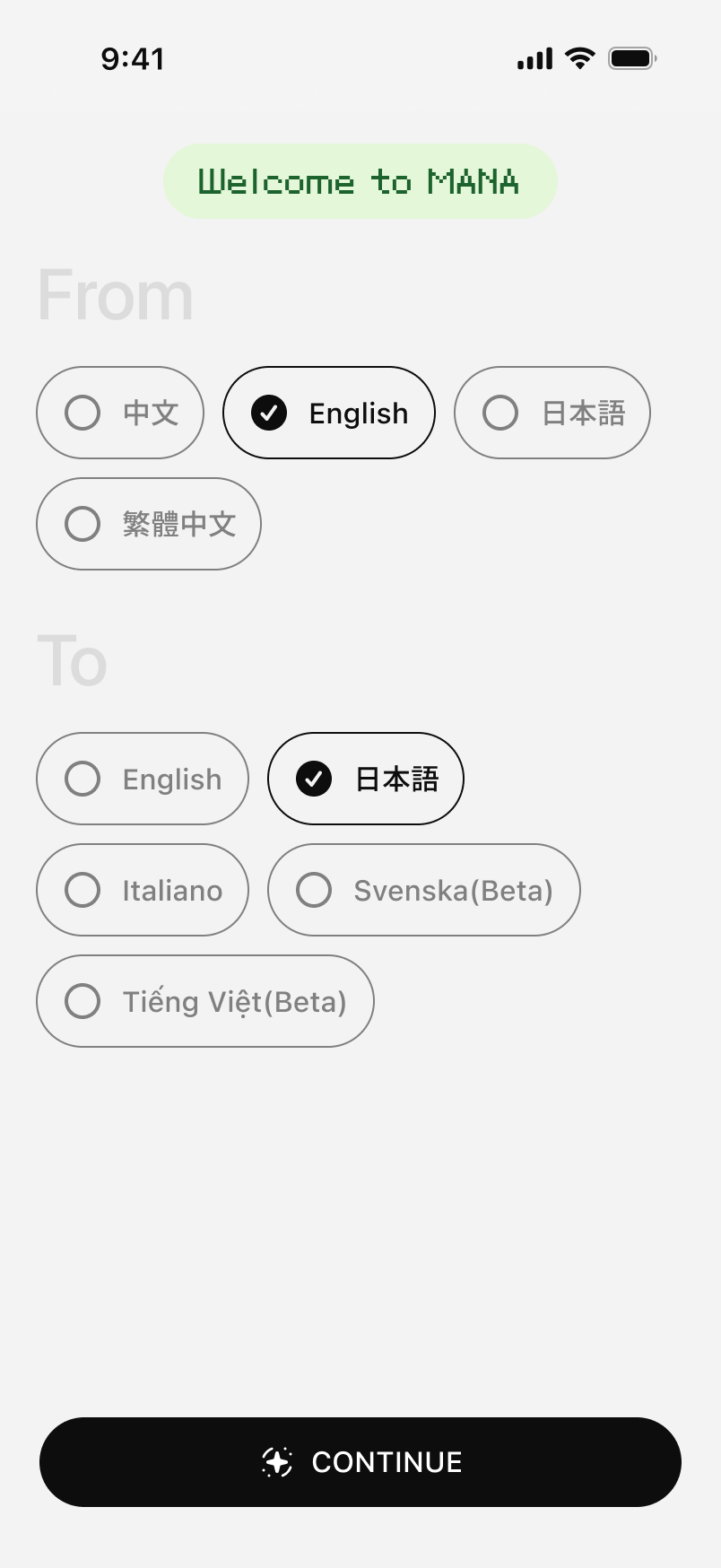
The first screen is one of the few places MANA Learn asks you to make a real choice: your native language and your target language. English speakers studying Japanese pick `English → 日本語` and move on. Five seconds. No account wall, no email gate before you see anything.
Step 2: A 60-second placement test instead of a generic A1 start
Most apps drop everyone into "Hello, my name is" no matter how much Japanese they already know. MANA Learn shows you six Japanese sentences ranging from `日本語はとても面白いです。` (A1) to `言語習得において最も重要なのは、継続的な努力と異文化への深い理解である。` (C1). You tap whichever one feels like the edge of what you can read. There's also an `I'm a total beginner` button, no shame in tapping it.
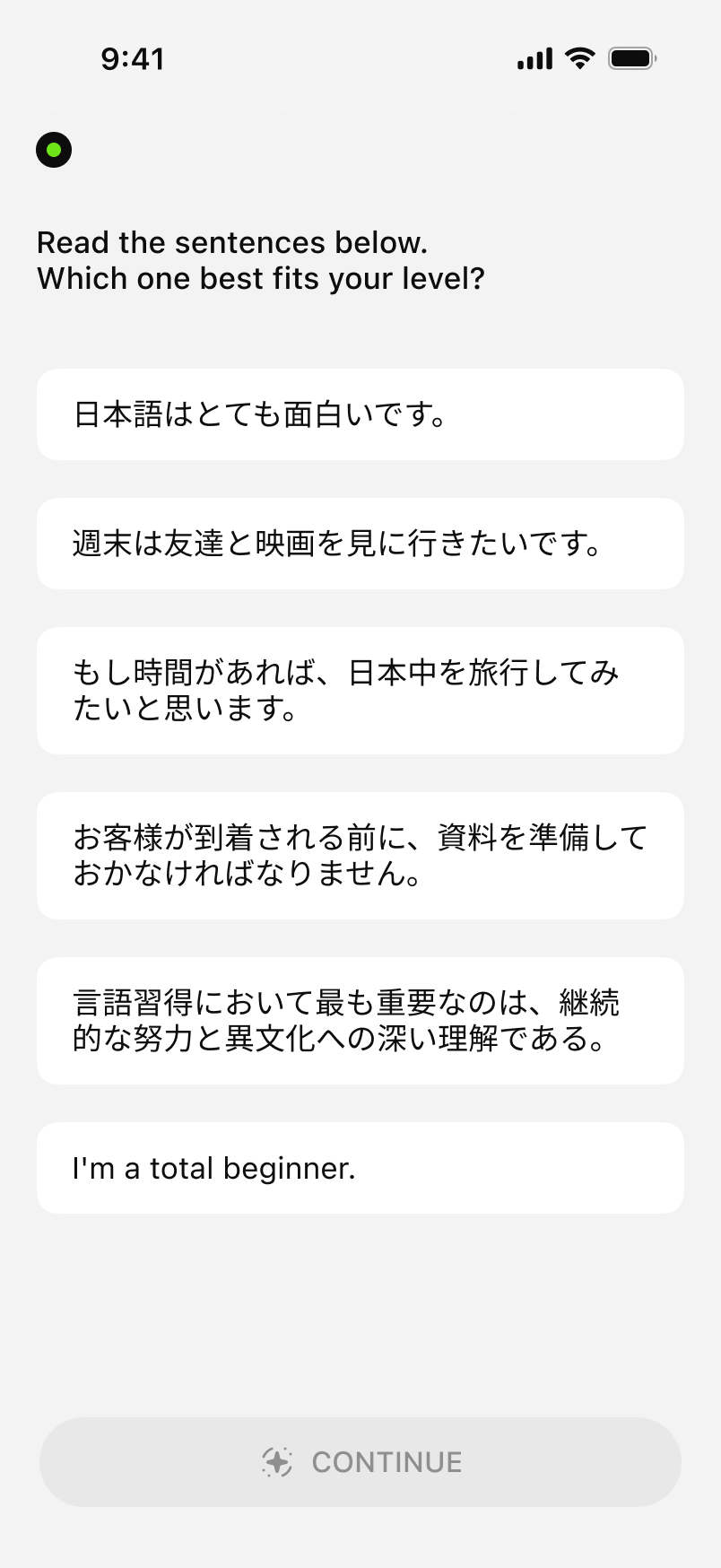
The placement decides your starting CEFR level (A1 through C2) and the entire course path adapts from there.
Step 3: Particles without the textbook headache
Japanese particles are the thing every textbook handles badly. MANA Learn turns them into a fill-in-the-blank drill: you see the English sentence, the Japanese with one particle missing, and four candidates with romaji hints. `I eat sushi.` → `すし___ たべます。` Pick from `ga / wo / ni / de`. Tap `wo (を)`, the answer flips green, and a Correct banner shows up at the bottom.
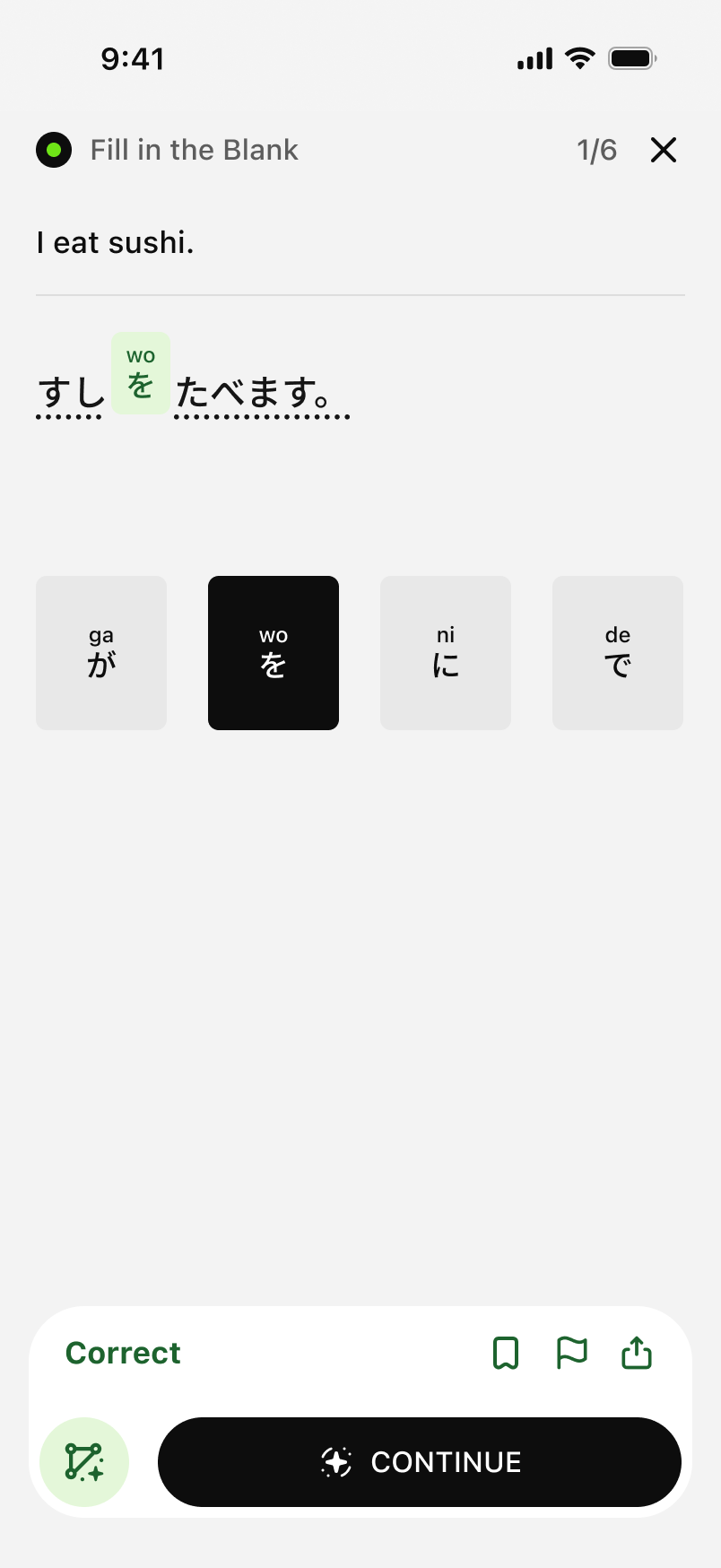
The pattern repeats six times per lesson. You're not memorizing rules, you're building the reflex.
Step 4: Listening with kana hints, not subtitles
`Tap what you hear.` A 5-second clip plays. The app shows you a bank of word tiles in both kana and romaji and asks you to assemble what was said. The phrase here is `かっこいい先生です。` ("Cool teacher."). You can slow the clip to 0.5x and replay as many times as you want.
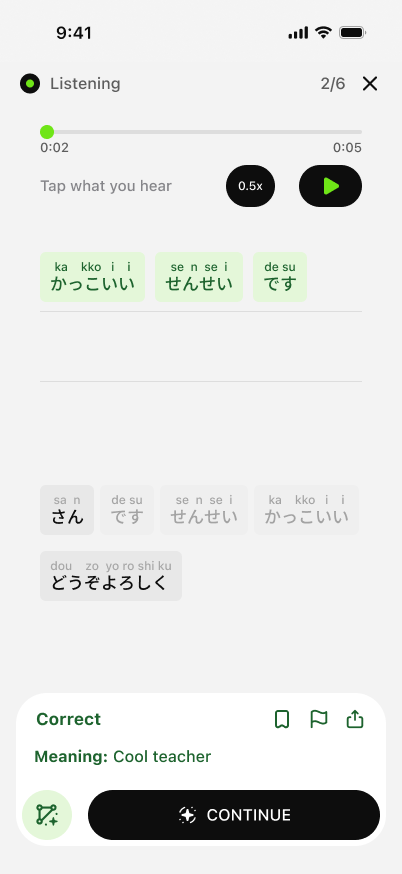
This is the part most apps skip. Reading Japanese is not the same skill as hearing Japanese, and MANA Learn drills both separately.
Step 5: Translation with instant grammar correction
The translation lesson flips it: English prompt at the top, you build the Japanese sentence from a word bank. `I eat sushi at home.` Get the particle wrong (e.g. `いえに` instead of `いえで`), and the app immediately shows the corrected sentence with the wrong character underlined: `Correct Answer: いえですしをたべます`.
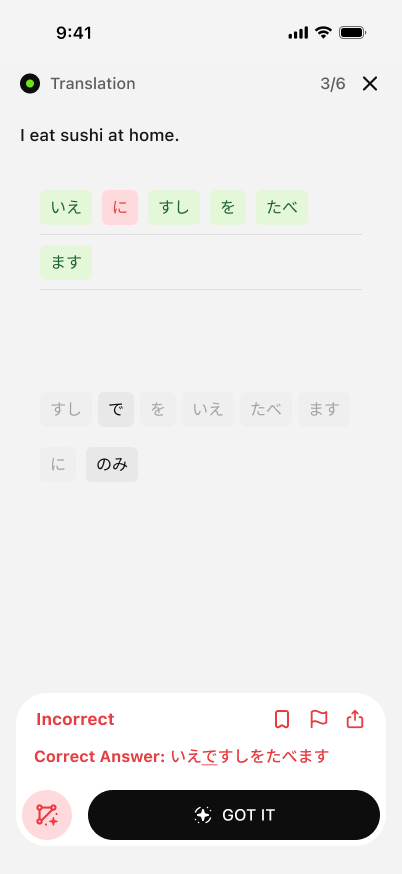
No multi-paragraph grammar lecture. Just `you wrote X, the right answer is Y, here's the difference`. Move on.
Step 6: Vocabulary matching for retention
Matching screens are the spaced-repetition layer. Two columns — English on the left, Japanese on the right with romaji on top of each kana word. `green tea / おちゃ` matches green; `water / こんにちは` is wrong (water is `みず`), so it flashes red and you try again. Six word pairs per round.
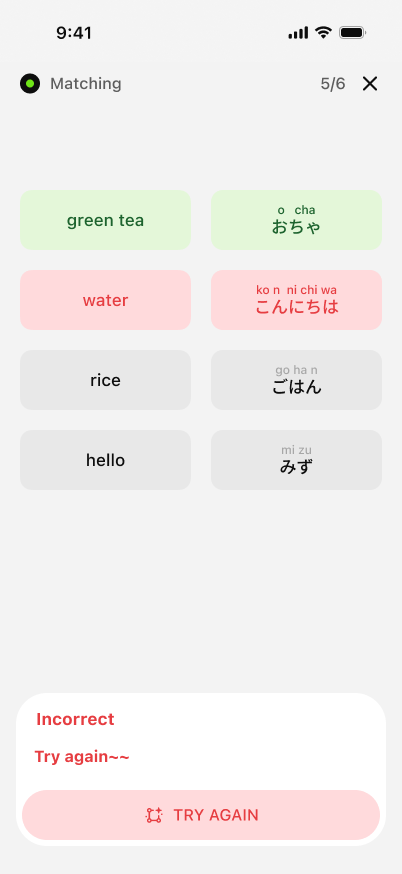
This is where the vocabulary actually sticks — not the first time you see a word, but the fifth time across listening, fill-in-blank, translation, and matching.
Step 7: A daily course path with streaks and stars
Once you're past the test, the home screen turns into a vertical course list. Each card is one micro-lesson — `Introducing yourself to others in the restaurant` is the running example here. The header shows your current level (A1), streak (4419), stars (48244), and review queue (12). Lessons you've finished get a green checkmark; partially done ones get a yellow ring.
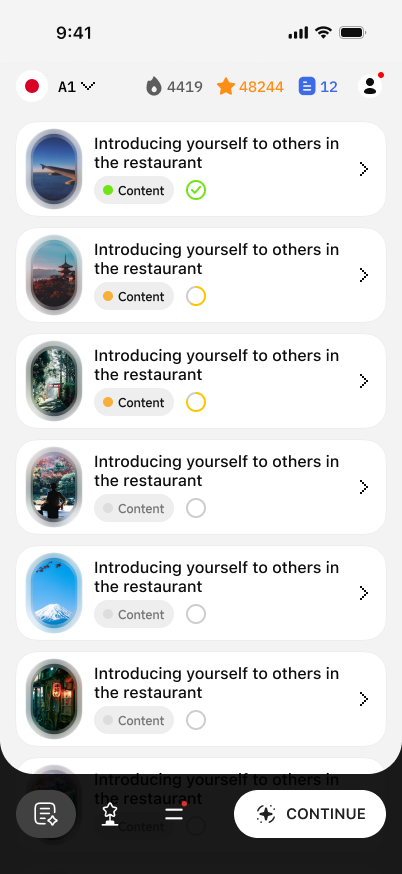
The unit is 3-minute lessons. Most people do two or three a day on the bus.
Step 8: Clubs — practice with real learners
Solo language apps stall around A2. MANA Learn's Club tab fixes that by letting you join small groups. Suggested clubs include `MANA东半球领先小组`, `English Club`, `日语一起练`, plus search for niche ones. Inside a club you post short audio or text snippets, get reactions from other learners, and see leaderboards.
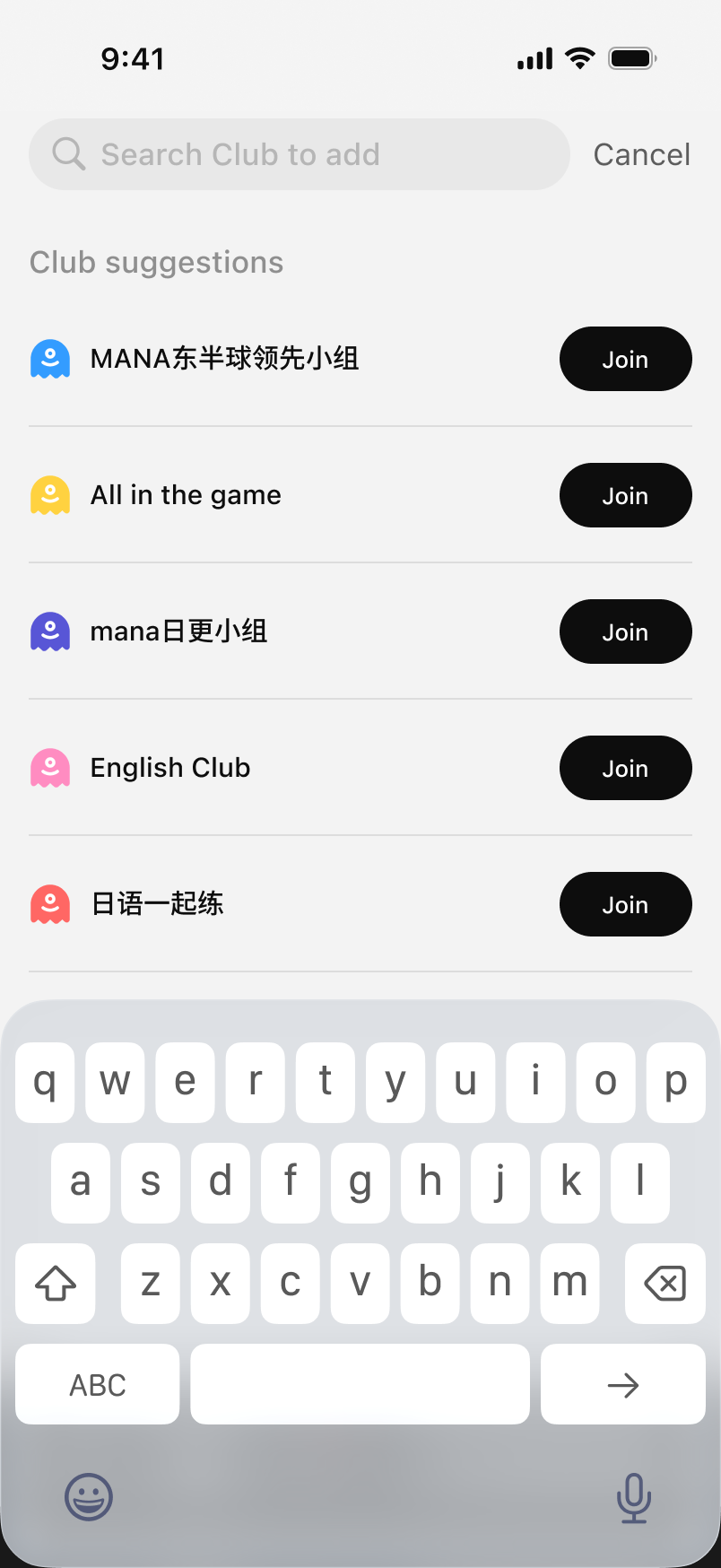
The clubs that work well are the small ones — 20 to 50 active members where everyone actually replies.
Step 9: Shadowing with a pronunciation score
The most underrated screen in the app. After a listening lesson, MANA Learn offers Shadowing Practice: it plays the native clip, you record yourself repeating it, and the app scores your pronunciation. The example here scored `94% Pronunciation Accuracy` on `かっこいいせんせいです`.
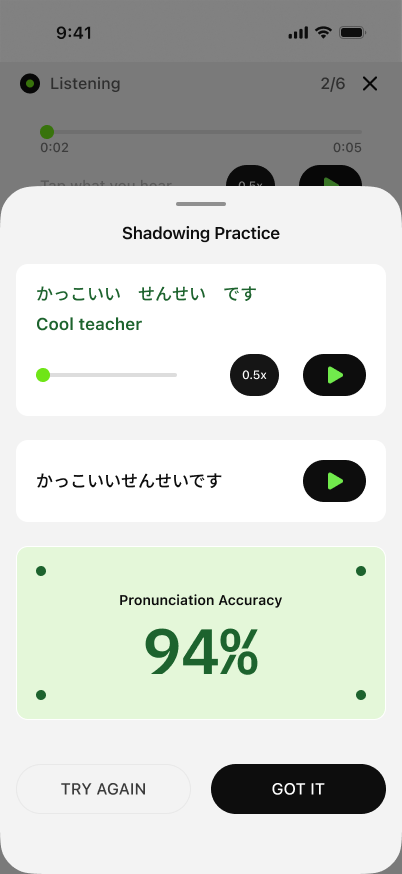
This is the single feature that closes the gap between "I can read Japanese" and "I can be understood in Japanese." Old apps charged extra for it. MANA Learn ships it in the free flow.
What's actually different here
Three things stand out after a week of using it:
- **The placement test is not a vanity exercise.** It really does drop you into the right level instead of forcing you through Hello-My-Name-Is for a month.
- **The four lesson types — fill-in-blank, listening, translation, matching — cycle the same vocabulary.** That spaced-repetition-across-modalities is what makes things stick, and it happens automatically without you configuring anything.
- **Shadowing is the headline feature.** If you've ever felt your Japanese listening was OK but no one understood you when you tried to speak, this is the fix.
Try it
[MANA Learn](https://felo.ai) is free to start, no credit card. If you've been hovering over Duolingo for the third year and still can't form a sentence in Japanese, give it a week.